
Billing Information
Your account screen displays your account details, billing information, invoice statements, and a breakdown of what services you currently have, and additional services available. Funds are automatically drafted from the credit card we have on file. If you have received notice of non-payment, check here to ensure billing information is up-to-date.
We want to make sure that you have a full understanding of how your billing will work at Agent Elite. If you have any questions that are not covered in this article please contact our Client Experience Team by creating a ticket in your User Portal.
Updating your Credit Card
Section titled “Updating your Credit Card”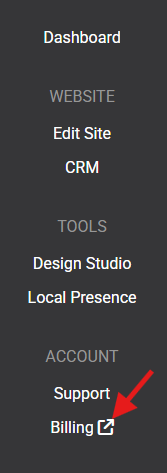
The Update Card Details will pop up prompting you to add a new credit card on file.
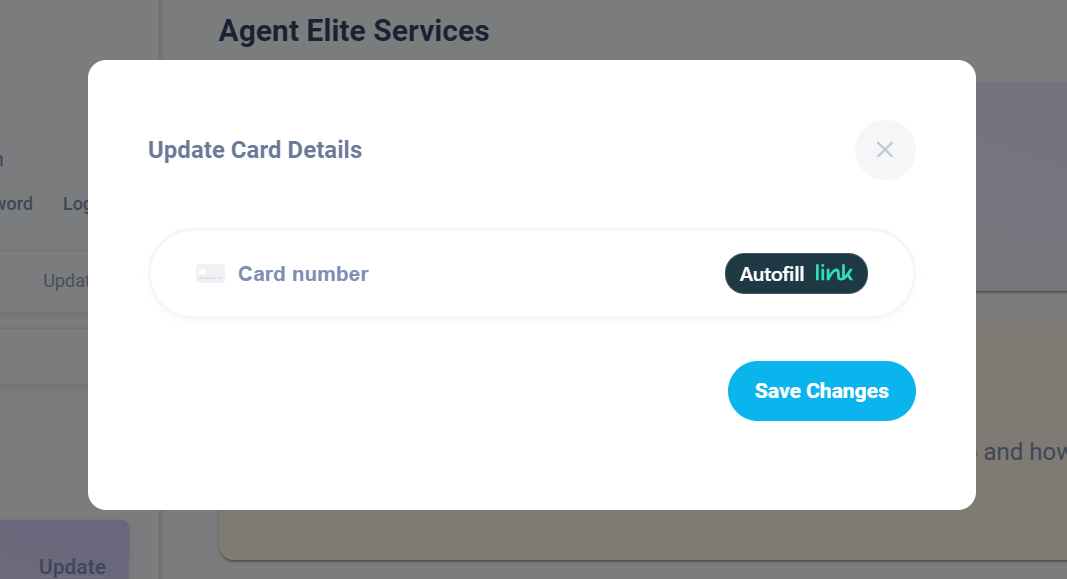
Click Save Changes.
Billing FAQs
Section titled “Billing FAQs”When Is My Billing Date?
At the time of purchase, you are charged a pro-rated monthly package fee in addition to any setup or MLS fees. Going forward, your subscription will be renewed on the day of the month of purchase and your card will be charged your monthly invoice amount. If you are set on an annual account, you will be charged on the day of the month purchased annually.
Failure to pay your invoice will result in account suspension, up to and including account closure.
My price is higher than expected, why?
If you upgrade your monthly plan, your next bill will reflect the upgraded subscription price.
There are also MLS Pass-through fees that are outside of our control and passed directly to each client. From time to time MLS boards will increase their Pass-through fees. Our integrations automatically update all MLS pass-through fees, so you never have to worry about interruption of IDX service.
What are the partial charges on my bill?
If your initial setup fee was split into multiple payments, these charges will reflect 30 days from your sign-on date & 60 days from your sign-on date.
What payment methods can I use?
At this time the only form of payment that we can set up for your account is a Credit/Debit Card (Visa, Mastercard, American Express, Discover). We cannot accept any other forms of payment such as checks or money orders.
My payment failed. Now what?
If your payment failed for any reason, you can update your payment details in the billing screen of your User Portal. Our payment system will automatically attempt to re-charge your account. Until the account is brought to good standing.
How Do I Refer A Friend?
Have a friend you’d like to refer? Simply click here, and fill out this form to receive a $100 referral credit!
How can I download my invoice?
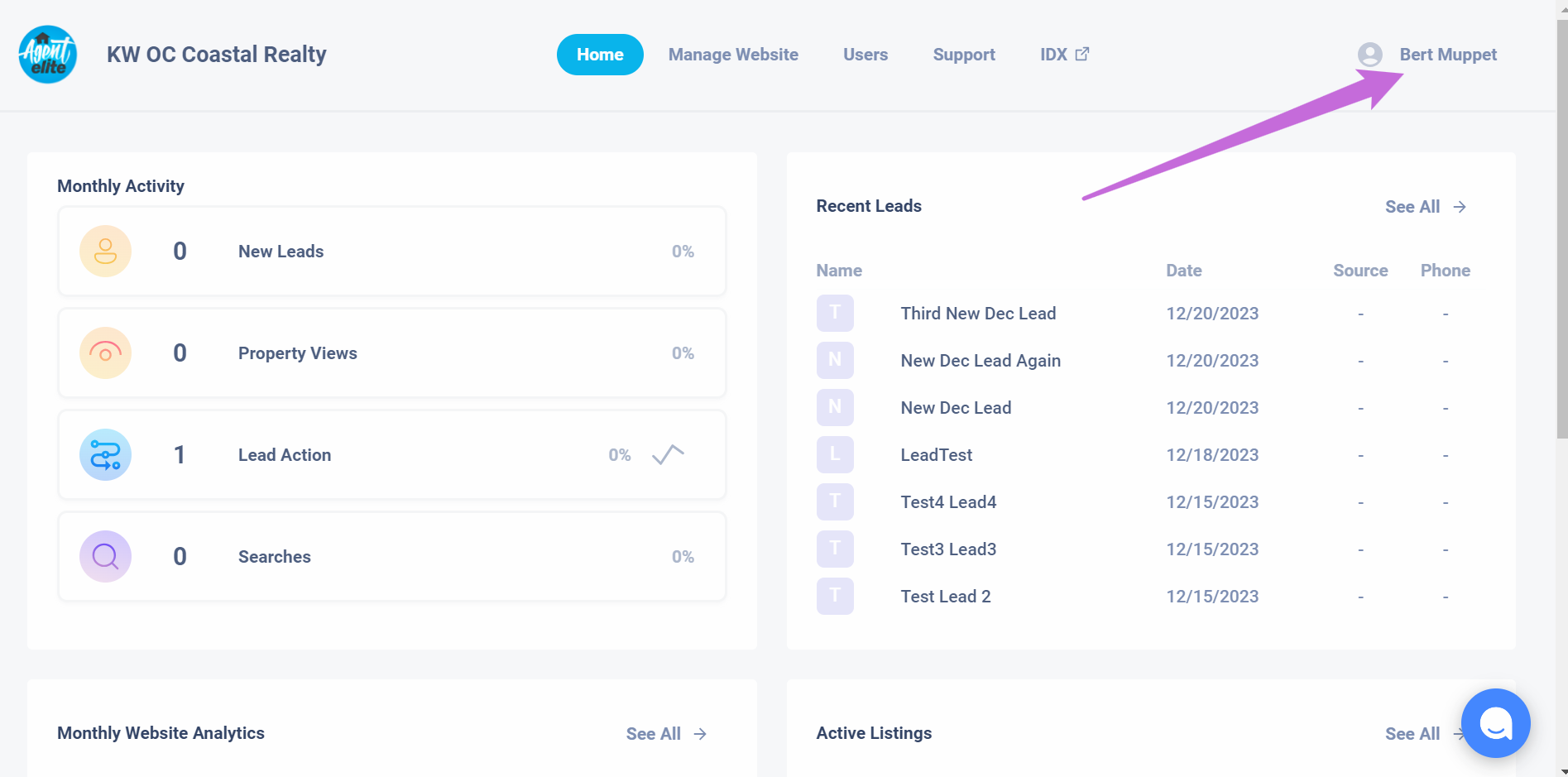
Visit your User Portal, Click on your Name in the upper right-hand corner.
Click to Zoom
On the right-hand side under your name and billing details, Click the “View Invoice” button.
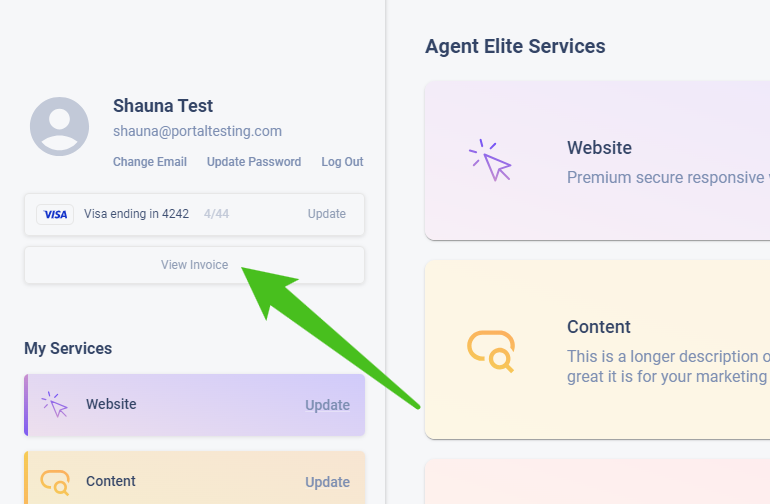
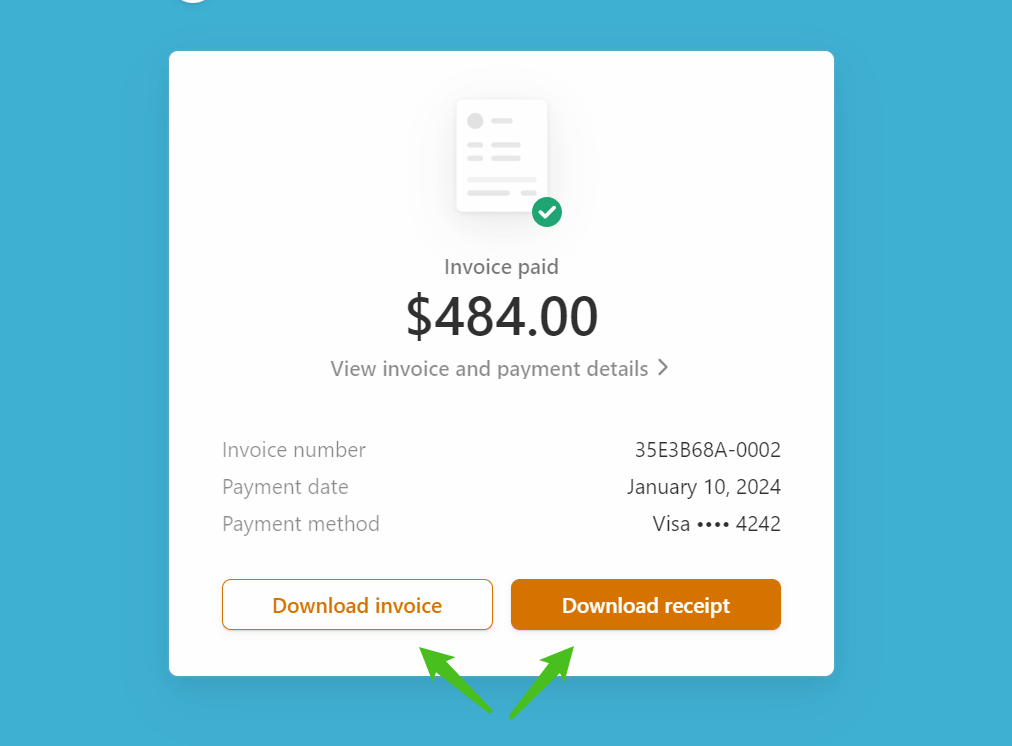
A new tab will open up in your browser with your invoice details. You will have a couple of options to download your invoice or receipt. Clicking either button will download a PDF to your computer.
Invoice vs Receipt
Section titled “Invoice vs Receipt”The invoice is a statement of what is to be paid, not showing if or when it has been paid. The receipt is the actual payment made and the date of payment.