Creating a Facebook profile and Business Page
How To Create a Facebook Profile
Section titled “How To Create a Facebook Profile”Please note
This article is to create a personal Facebook (FB) profile. You need a FB profile to create a FB Business page.
If you have already created a FB profile and need to create an FB page, please see the article below.
To create a new Facebook profile, follow these step-by-step instructions:
-
Open your browser and go to Facebook.com
-
You’ll see a section called “Create a New Account”
- Enter your first and last name
- Type your email address twice
- Enter a password
- Enter your date of birth using the dropdown menus
- Enter your gender
- Then click the green Sign Up button
- Facebook will then send a verification code to your email
-
Open your email in a new browser tab, and retrieve the code
-
Go back to your Facebook tab and type in the code
- Click Continue
- You will see the account verification confirmation
- Click Okay
-
-
To finish creating your account:
-
Add a profile picture
- Click Take a Photo to take a new picture, or click Add Photo to upload an image
- Then, type into the “Find People You Know” search box to search for people to add as friends
-
To further customize, click your name in the top menu bar to go to your profile page
- Click Add Cover Photo to customize your page’s banner image
-
To add more information to your profile, click About
-
Here you can add information about:
- Where you work
- What school you went to
- Where you live
- And more
-
Click on the different categories on the left to see more customization options
How To Create a Facebook Business Page
Section titled “How To Create a Facebook Business Page”Please note
This article is to create a Facebook (FB) Business Page. You need a FB personal profile to create a FB Business page.
If you have not yet created a FB profile, please see this article and return here to make your FB Business page.
To set up a new Facebook Business Page:
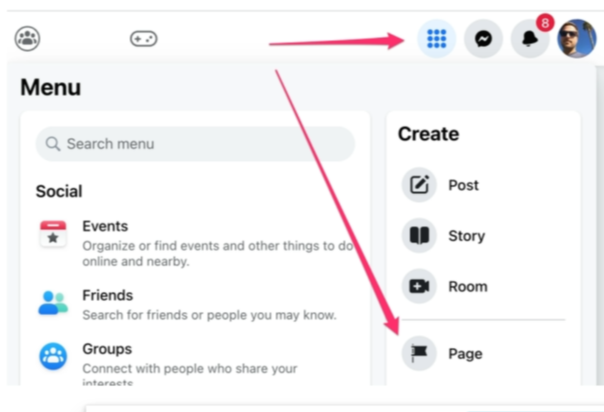
Section titled “To set up a new Facebook Business Page:”To create a new FB page, navigate to Facebook.com, click the menu icon on the top right, and under “Create,” select “Page.”
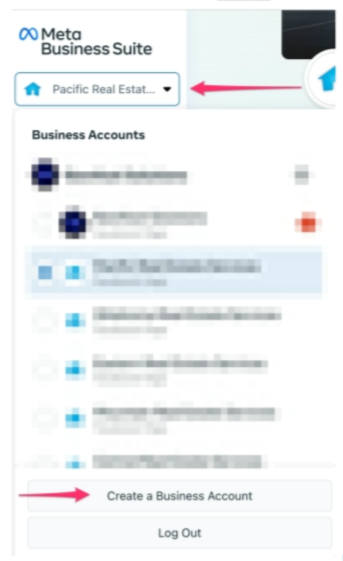
Once you’ve established your Facebook page, set it up as a business page with Meta Business Suite. The easiest way to do this is to navigate to business.facebook.com, click the drop-down by your name on the top left, and click “Create a Business Account.”
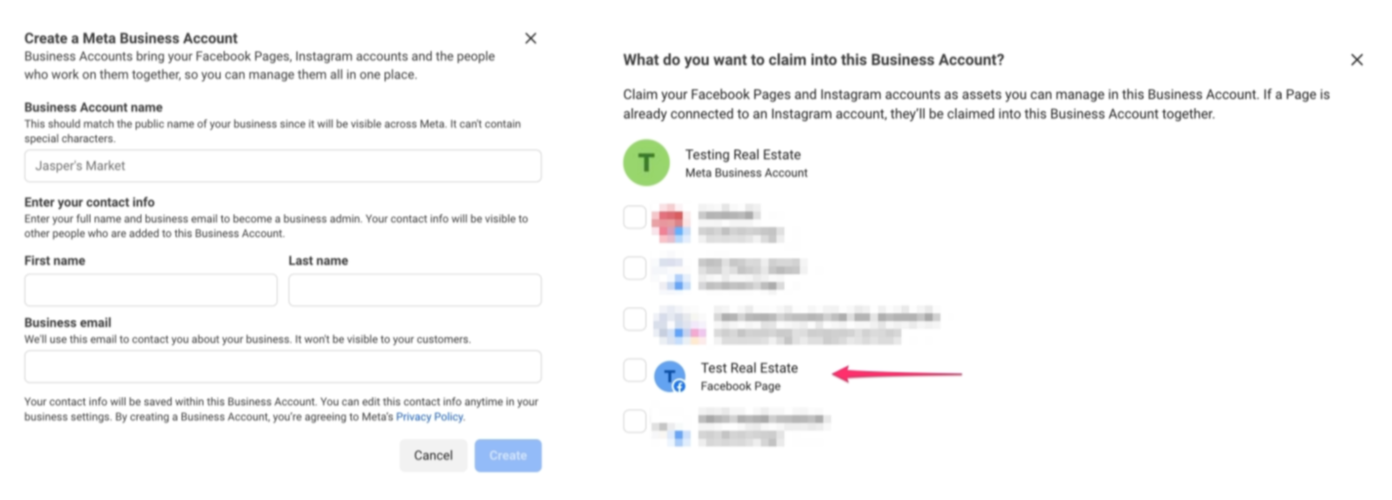
From there, fill out the form. The name of the business account can be the same as your page. Next, claim your FB page into the newly created business account.