Optimizing pages with Yoast SEO
How To Use Yoast SEO To Optimize Pages
Section titled “How To Use Yoast SEO To Optimize Pages”Although we’ll be demonstrating Yoast SEO’s optimization process on a community page of a real estate website, it is important to note that you can use Yoast on any webpage. By following these tips, you can use the Yoast plugin to optimize your website for search engines and improve your online presence.
How to use Yoast SEO
Section titled “How to use Yoast SEO”Start by accessing the webpage you’d like to optimize.
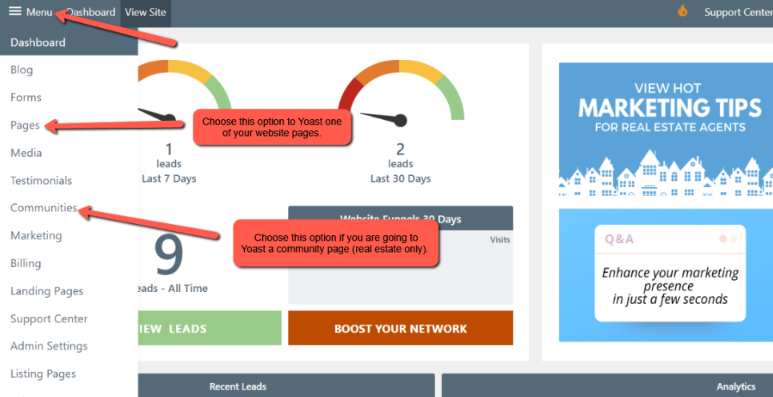
Section titled “Start by accessing the webpage you’d like to optimize.”From the website dashboard, click on Menu in the upper left corner. From the dropdown, select Pages if you are going to Yoast one of your website pages. Select Communities if you are going to Yoast one of your Community pages (real estate only). For this example, we will Yoast a Community page for Auburn, CA.
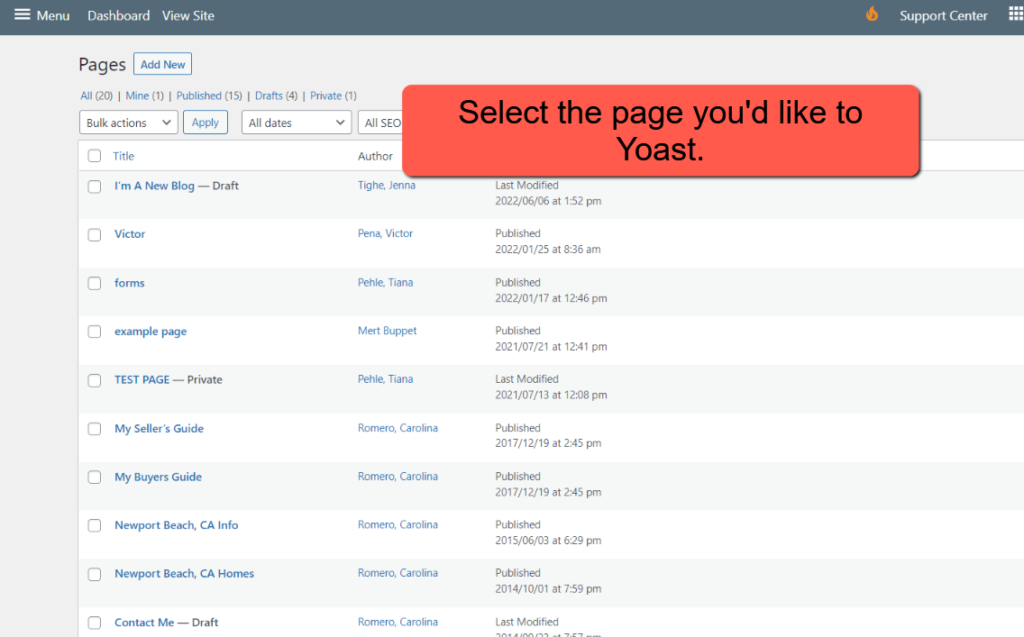
If using Pages, select the page you want to Yoast from the list of pages.
If using a Community, select the community you want to Yoast.