Sharing and landing pages
Sharing Your Website on Social Media
Section titled “Sharing Your Website on Social Media”Every site comes equipped with Social Share buttons, which allow you and your clients to share your content on Facebook, Twitter, Pinterest, or other platforms.
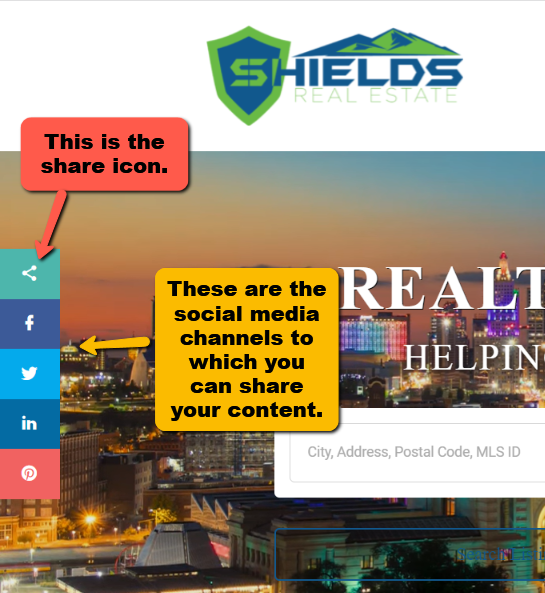
How to use Social Share buttons
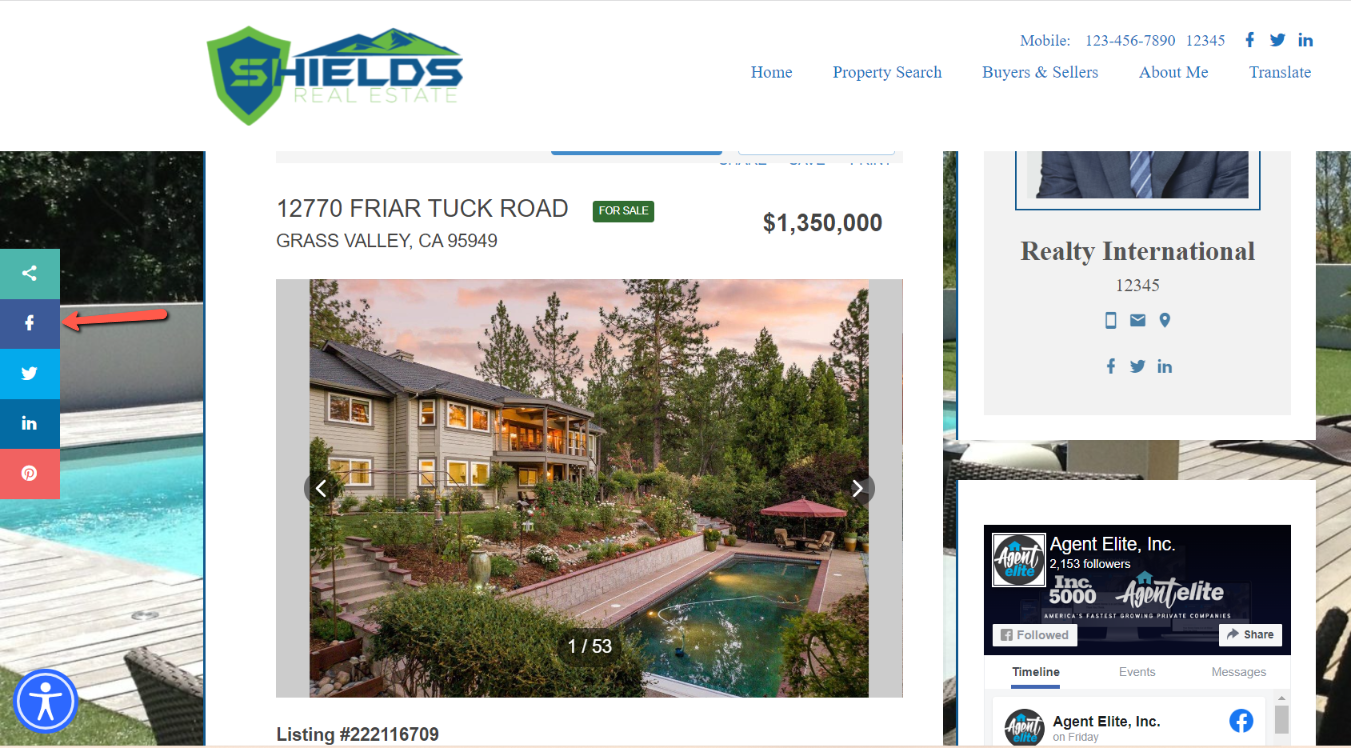
To use the Social Share feature, navigate to the page that you’d like to share. For this example, we’ll be sharing a listing on Facebook. Once on the page, click on the social share button to begin.
A page from the social site where you can make specifications for your post pops up.
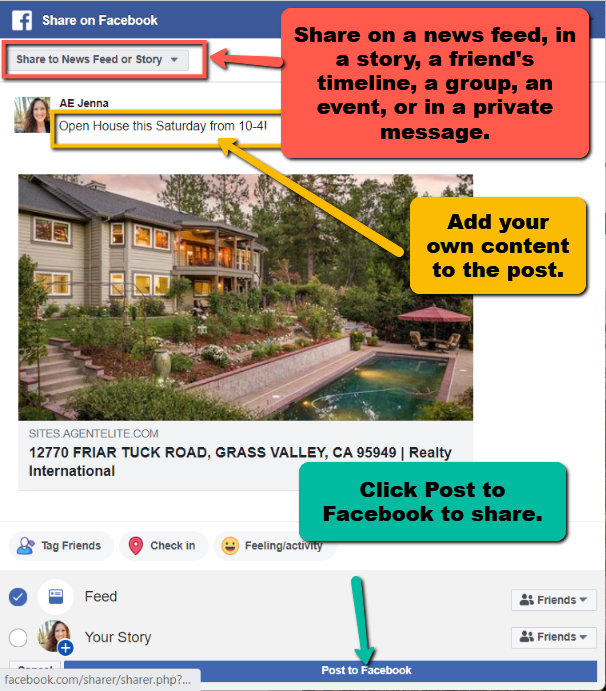 Your page is now shared!
Landing Pages
Section titled “Landing Pages”Turn your website visitors into real leads.
A landing page is a focused web page designed to get visitors to take one specific action — like filling out a form, scheduling a call, or requesting more information. It’s where people “land” after clicking a link, ad, or social post.
For real estate agents and loan officers, landing pages are one of the easiest and most effective ways to generate quality leads.
Why Landing Pages Matter
- Stay focused: Highlight one property, community, or loan program at a time. This helps your message stay clear and relevant.
- Capture leads: Every landing page includes a simple form so you can collect contact info and follow up.
- Track results: See how many people visit, click, or submit the form — and use that data to improve your marketing.
- Boost conversions: By speaking directly to one audience or offer, your page is more likely to turn visitors into clients.
Best Practices
- Keep it simple: Use a clear headline, strong visuals, and a short form — don’t overload the page with too much info.
- Add a strong call to action: Tell visitors exactly what you want them to do next (e.g., “Schedule a Consultation” or “Get Pre-Qualified”).
- Test and improve: Try different headlines, images, or layouts to see what performs best.
How To Make a Landing Page
Step 1: From your Website Dashboard, click on Landing Pages from the dropdown menu.
Step 2: Click on Add New Landing Page.
- Enter a Title for the page.
Step 3: Add Content Using Blocks
-
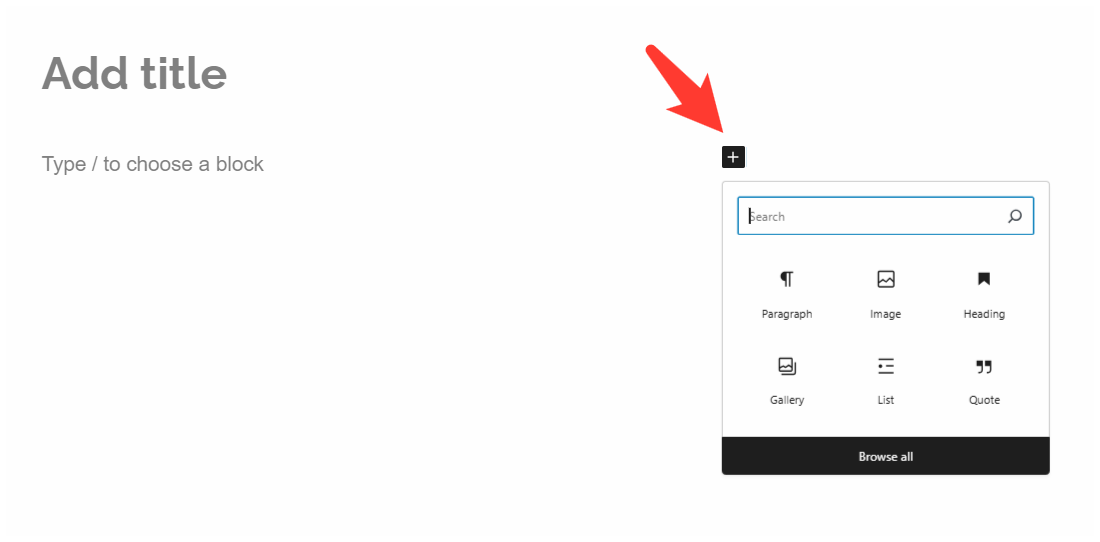
In the editor, you’ll see “Type/Choose a block”.
-
Click the plus (+) sign to select the block type you want to add.
-
Blocks can be:
- Paragraph (text)
- Image
- Video
- Table
- Other available elements
Step 4: Review and Publish
- Once content is added, review the formatting.
- Click Publish to make the page or blog live.